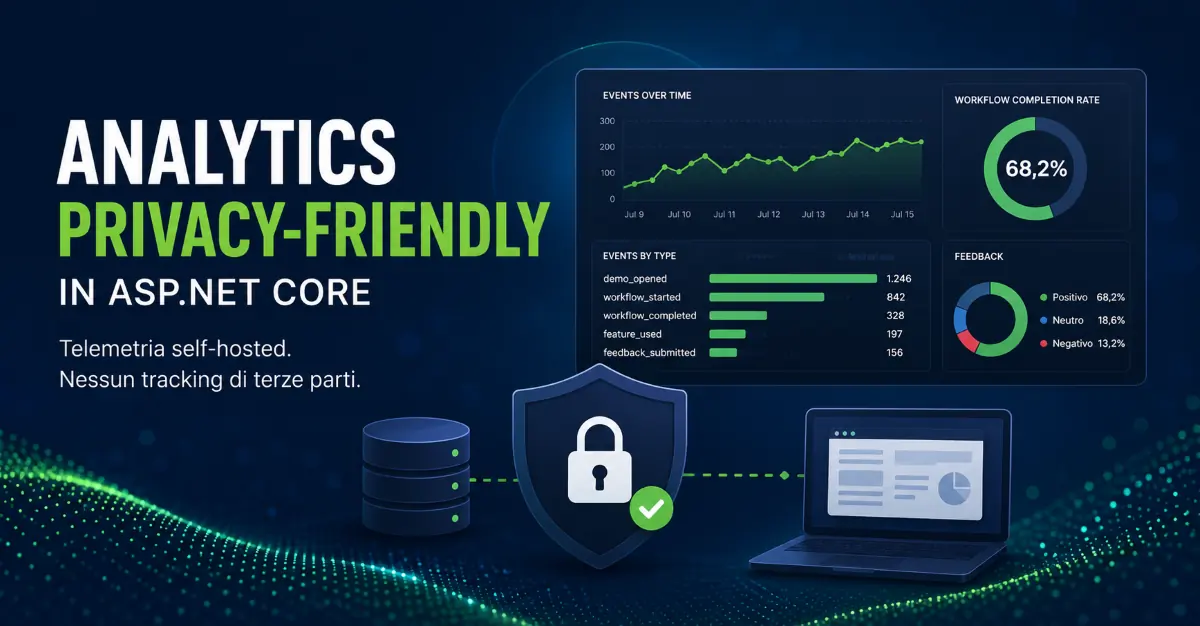
When developing a digital product, sooner or later a practical question arises: are the features we have built actually being used?
Page views alone are often not enough. In a web application, it can be more useful to know whether a user has started a workflow, completed it, used an optional feature, or submitted positive or negative feedback.
The problem is that many applications process data that we do not necessarily want to send to an external analytics service: financial values, process data, business information, user-entered text, or simply details that are not needed to answer product-related questions.
A real requirement that emerged while developing a web application led me to create the open-source Privacy-Friendly Analytics for ASP.NET Core project.
The problem: product analytics without indiscriminate tracking
Imagine an application where the main calculation takes place in the browser. From a product perspective, we want to know how many people start the flow, how many complete it, which optional features are being used, and whether the feedback is positive or negative.
To answer these questions, we do not need to know the values entered in the fields. We can model analytics as a sequence of events:
demo_opened
workflow_started
workflow_completed
feature_used
feedback_submitted
The server receives the fact that an event occurred, not the business data that produced that event.
General architecture
[Browser / TypeScript]
          |
          | POST /api/analytics/events
          v
[ASP.NET Core endpoint]
          |
          v
[IAnalyticsService]
          |
          v
[EF Core]
          |
          v
[SQL Server]
          |
          v
[Dashboard]
The solution separates Application, Infrastructure, and Web. The Web project depends on IAnalyticsService, while the persistence details remain in the Infrastructure layer.
Explicitly allowed events and properties
A client should not be able to send arbitrary events or properties. In the project, allowed events are explicitly defined, and the server rejects unknown events.
public static class AnalyticsEventNames
{
    public const string DemoOpened = "demo_opened";
    public const string WorkflowStarted = "workflow_started";
    public const string WorkflowCompleted = "workflow_completed";
    public const string FeatureUsed = "feature_used";
    public const string FeedbackSubmitted = "feedback_submitted";
}
The same principle applies to properties: allow-lists, length limits, and filters on accepted JSON types are enforced.
What is stored and what is not
What is stored: event name, UTC timestamp, a random page-session identifier, path, and a small set of allowed properties.
What is not stored: form field values, financial or business data, email addresses, free-form text, IP addresses explicitly persisted by the application, or persistent browser identifiers.
This distinction is critical: telemetry should be designed around the questions we want to answer, not around the maximum amount of data we can collect.
No persistent browser identifiers
To correlate events generated during the same page visit, a random UUID is generated in memory:
const sessionId = crypto.randomUUID();It is not written to cookies or localStorage. This limits some metrics, such as distinguishing between new and returning visitors, but avoids introducing persistence when it is not needed.
Best-effort telemetry
An important architectural decision is that telemetry should not become a dependency of the main application flow. If the analytics endpoint or SQL Server is temporarily unavailable, the user's workflow should continue unaffected.
The client therefore sends events asynchronously, with a short timeout and error handling.
Endpoint rate limiting
An endpoint that receives events from the browser is public by definition. The project applies ASP.NET Core's built-in fixed-window rate limiting. In production, the limits should be sized according to actual traffic and the deployment model.
Dashboard and metrics
The demo includes a minimal dashboard showing the total number of events, sessions, workflows started and completed, completion rate, positive feedback percentage, event counts by type, and the most recently received events.
For a small product, this information is often enough to answer the first questions about product usage without introducing a more complex analytics platform.
Test what should not be stored, too
The tests also verify the data minimization rules: unknown properties are discarded, overly long strings are truncated, and nested JSON objects are rejected. In this way, some privacy decisions become verifiable technical constraints.
Automated builds and tests with GitHub Actions
The repository automatically runs restore, build, and tests on every push or pull request targeting main. It is a simple pipeline, but it verifies that the project continues to work in a clean environment rather than only on the developer's machine.
When this approach makes sense
A minimal self-hosted solution is suitable when you need a few well-defined product metrics, want to avoid sending business data to third parties, already have a backend and database, and expect a moderate volume of events.
If you need advanced attribution, complex funnels, session replay, experimentation, or high event volumes, a dedicated analytics platform may be the better choice.
Before production
- protect the dashboard with authentication and authorization;
- define a retention policy and automatic cleanup;
- move connection strings to a secret store;
- ensure that logs do not capture sensitive request bodies;
- review rate limiting and the ingestion strategy;
- consider queues or batching for high event volumes;
- periodically review the allow-list of events and properties.
FAQ
Is it an alternative to Google Analytics or other analytics platforms?
Not necessarily. It is a reference implementation for cases where a few product metrics are enough and you prefer to keep telemetry self-hosted.
Why not store an anonymous persistent identifier?
Because the initial use case did not require recognizing the same browser across subsequent visits. If that metric becomes important, the decision can be explicitly revisited.
Why use a property dictionary if it is restricted anyway?
To keep the model generic without giving up control. The flexibility remains, but the server decides which properties can be persisted.
Open-source repository
The full source code is available in the Drik81/privacy-friendly-analytics repository, built with .NET 10, ASP.NET Core, EF Core, SQL Server, TypeScript, Docker, automated tests, and GitHub Actions.
The right question is not "how much data can we collect?" but "what data do we actually need to improve the product?"
In short
Collecting less data can still be enough to make better product decisions.
Useful telemetry does not need to record everything users do or enter. Explicit events, limited properties and self-hosted persistence can be enough to measure feature adoption while keeping control over the data being collected.
Related guides
Do you want to add telemetry or analytics to a .NET application without collecting more data than necessary?
I can support software houses and development teams in designing application telemetry, APIs, logging and observability, defining which events are worth collecting and how to integrate them without turning analytics into a critical dependency of the product.